© 2025 All Rights Reserved
Contact us


Mounting connections of the system KARKASYS
Mounting nodes VU-CONNECT, HOOK-BRACKET and TELEBRACKET — are integrated technical solutions for the installation of facade panels, window blocks, and load-bearing elements of the KARKASYS system in various types of building construction schemes.
Each solution is designed with consideration of:
• rejecting welding and wet processes,
• fast and accurate installation,
• thermal continuity,
• hidden installation within panels or frames.
Adjustable bracket
assembled
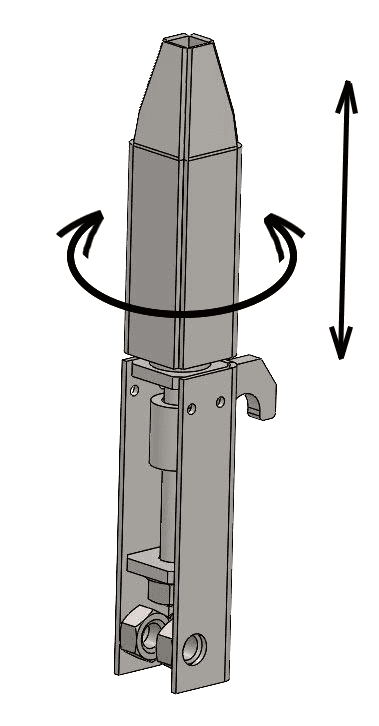
Mechanism
Adjustment
Bracket
Amplifier
Panels
Horizontal joint of panels
Bracket on the ceiling slab
Vertical joint of panels
HOOK-BRACKET
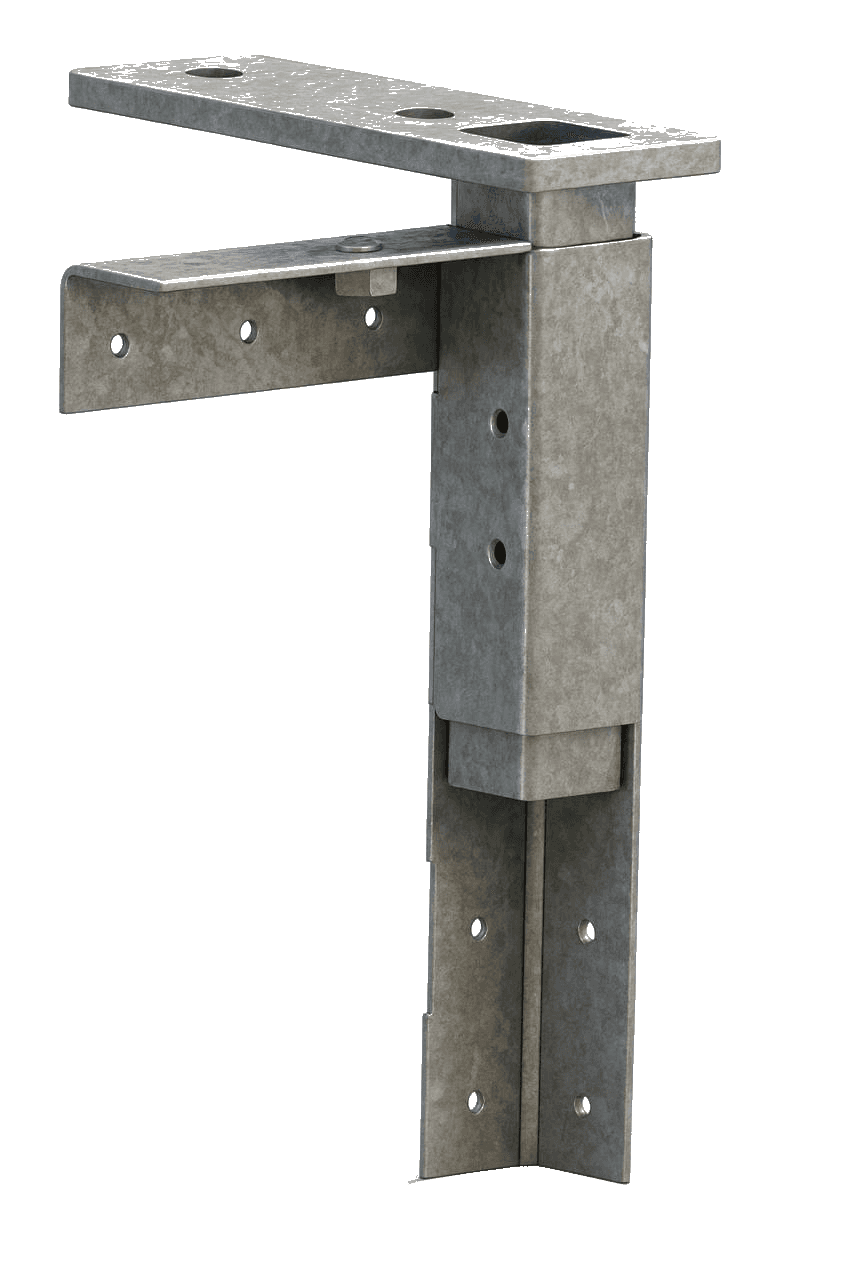
Adjustable mounting bracket for facade panels
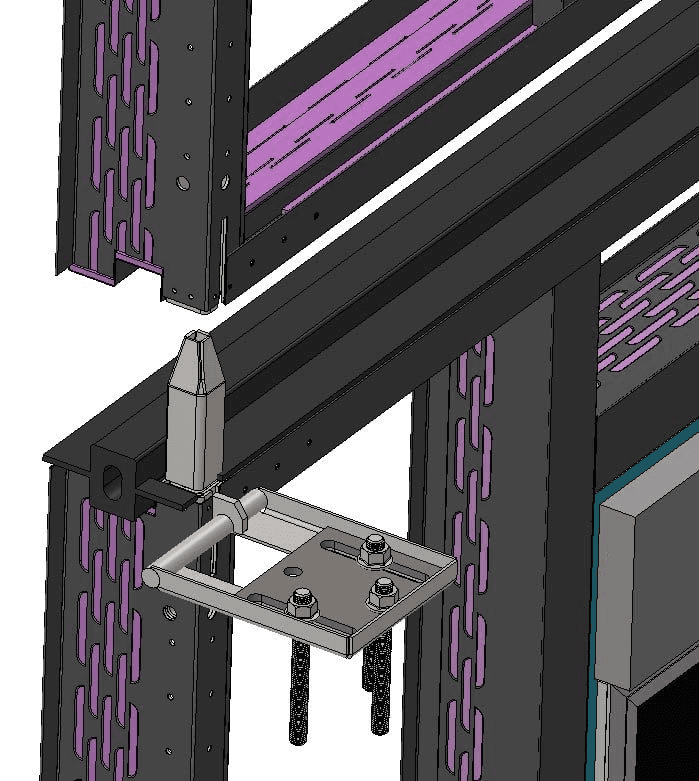
HOOK-BRACKET is a detachable mounting bracket with a hook-shaped fastener and a built-in vertical adjustment mechanism. It is designed for the installation of facade panels PanelKIT, PanelCORE, and other modules KARKASYS in buildings with reinforced concrete frames.
Purpose and application area
• Used for suspended installation of panels on the edge of the floor slab;
• Provides reliable and adjustable fastening to the support plate fixed to the reinforced concrete floor slab;
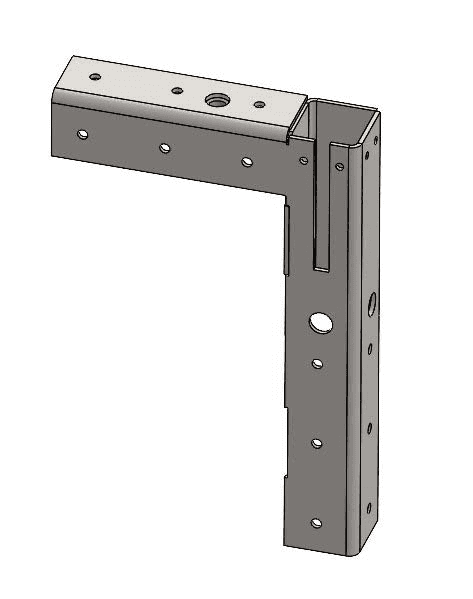
• Installed in factory mounting nodes in the corners of the panel (inside thermal beams ThermoBEAM);
• Compatible with any floor slab (with concrete, metal, or wooden surface with anchor fastening).
Design and principle of operation
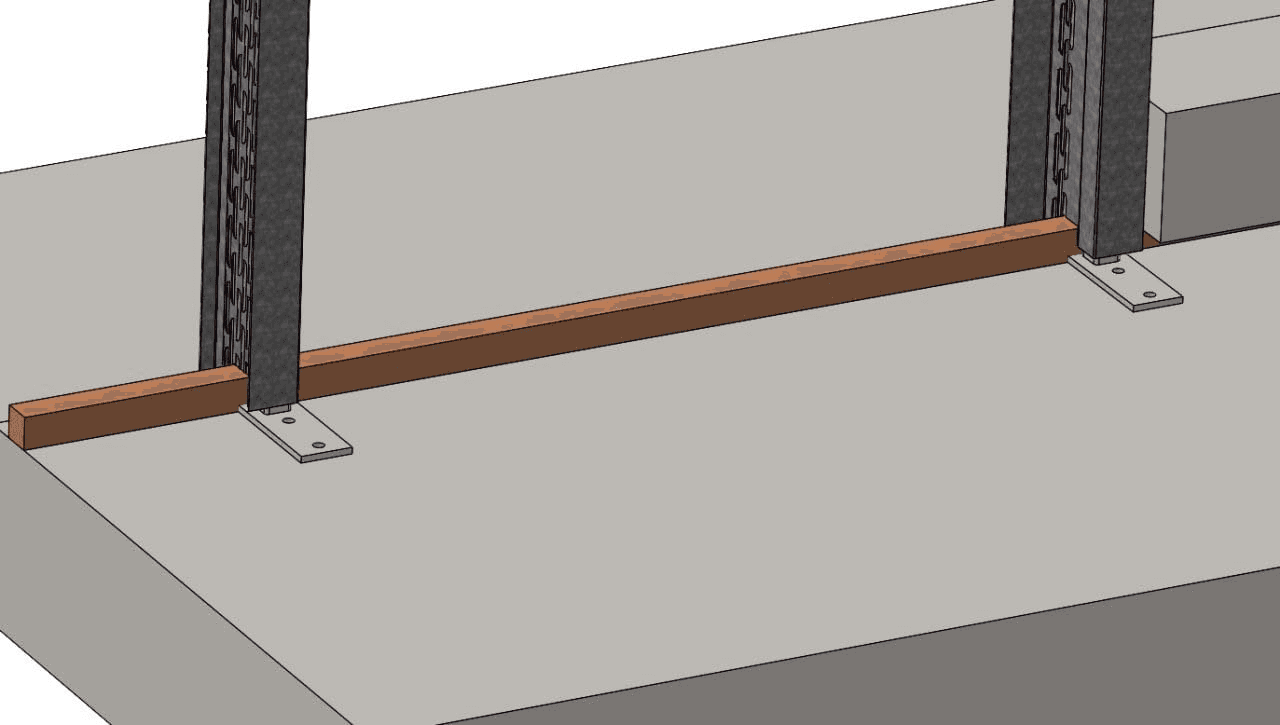
• The main element is a metal hook that hangs from top to bottom on the support plate, previously fixed with anchors in the slab;
• The hook is connected to a movable vertical screw mechanism, allowing precise adjustment of the panel's position in height;
• Rotation is performed using a rotary handle included in the kit (or a detachable rod);
• After hanging and adjustment, the panel automatically assumes its design position without additional fasteners;
• The bracket works on shear and pullout, bearing the main vertical load of the panel.
Installation diagram
1. Installation of the support plate on the slab (with anchors);
2. Simple integration of HOOK-BRACKET into the panel (in the corner mounting cup);
3. Hanging the panel from top to bottom with precise hooking of the hook onto the support plate;
4. Height adjustment using the screw;
5. Fixing the position and continuing with the installation of adjacent panels.
Bottom mounting
of structural elements
Assembled telescopic bracket
Corner
bracket-amplifier
panel
Moving part
of the bracket
Upper mount
structural elements
TELEBRACKET
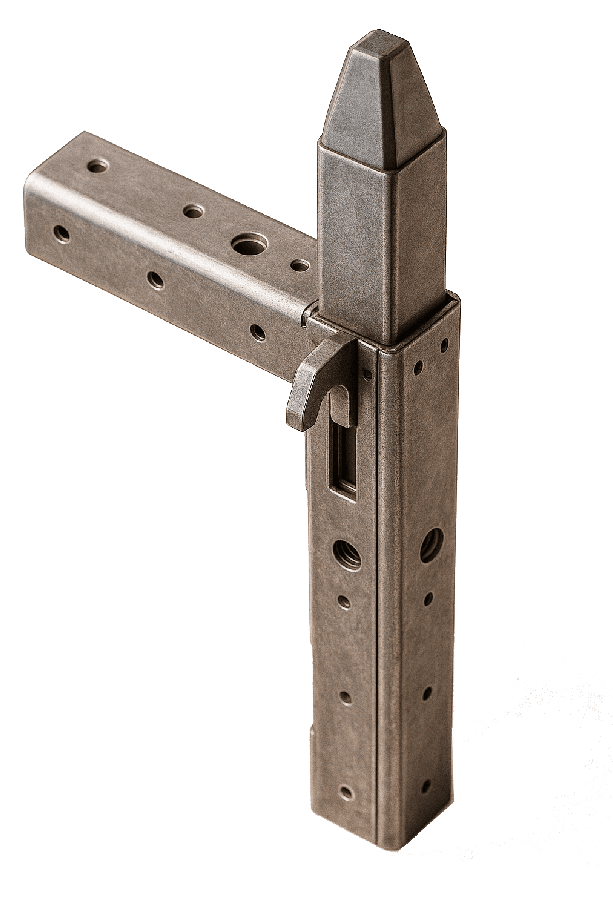
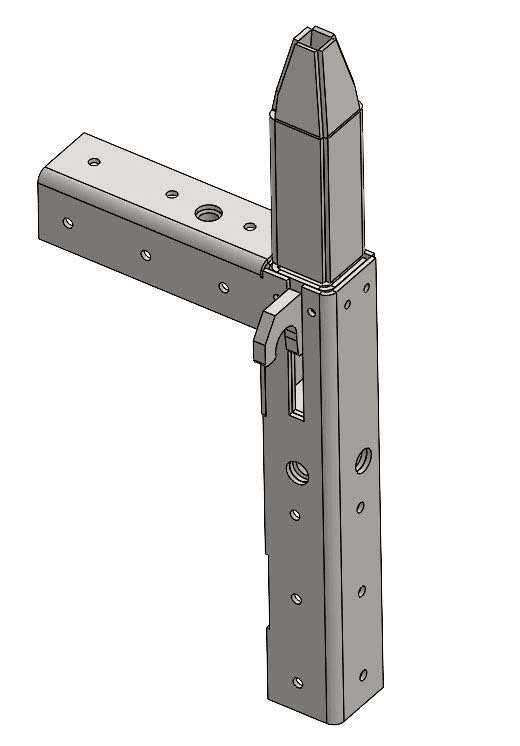
Telescopic mounting bracket for fastening panels between ceilings
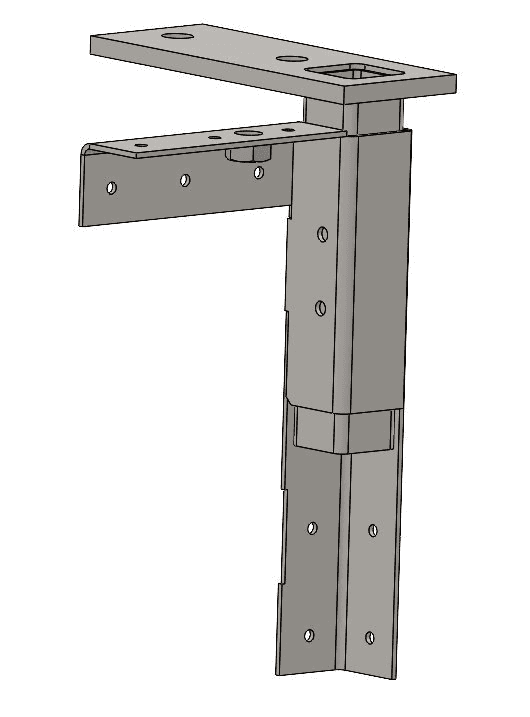
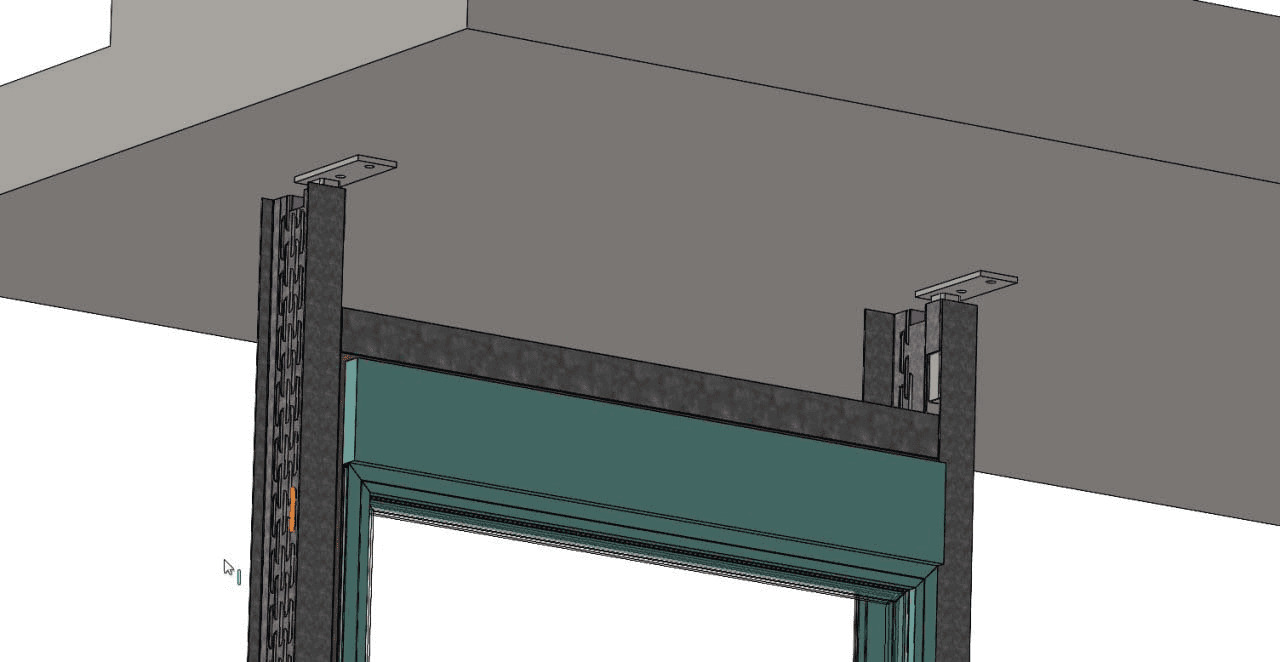
TELEBRACKET — is a built-in telescopic bracket designed for fastening facade panels or frames between ceiling slabs during installation in a reinforced concrete frame. The design allows for vertical adjustment and reliable fixation of the panel on-site without the use of welding and wet processes.
Purpose and application area
• Used for integrating panels and window blocks (frames) in the space between ceilings (inter-floor installation);
• Provides adjustable support and fixation of the panel or frame in the design position;
• Installed in a factory node on the end of the panel, with the possibility of concealed installation;
• Intended for use in PanelKIT, PanelCORE, ThermoFRAME, when using a reinforced concrete building frame.
Design and principle of operation
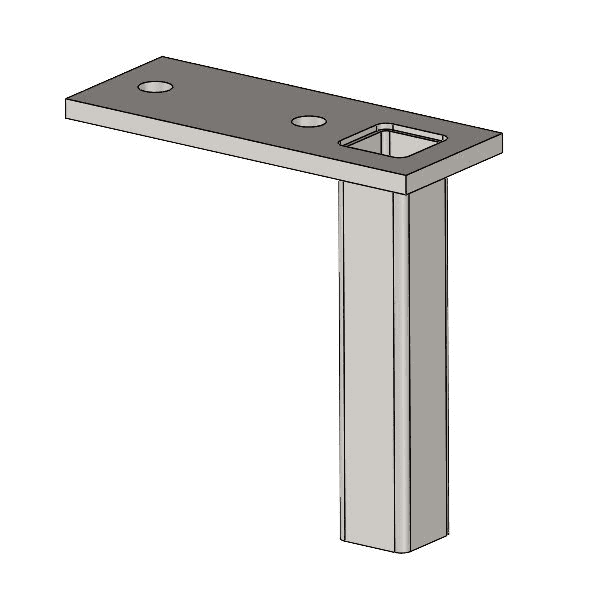
• The bracket consists of two square tubes:
• Outer — 50×50×2.5 mm
• Inner movable — 45×45×3 mm
• A mounting plate (thickness 10 mm, width 75 mm, length 150 mm) with two holes ⌀12 mm, offset 35 mm from the edges, is welded to the top of the inner tube;
• After installing the panel in place, the installer smoothly raises or lowers the inner element, achieving precise positioning;
• Then the plate is fixed to the underside of the upper ceiling (or to the upper guide) using anchor bolts.
Installation scheme
1. Factory installation of TELEBRACKET on the end of the panel or frame;
2. Lifting the panel into place between the ceilings;
3. Height adjustment — until the design mark is reached;
4. Anchor fastening of the mounting plate to the ceiling above;
5. Completion of installation and installation of the next panel / frame.
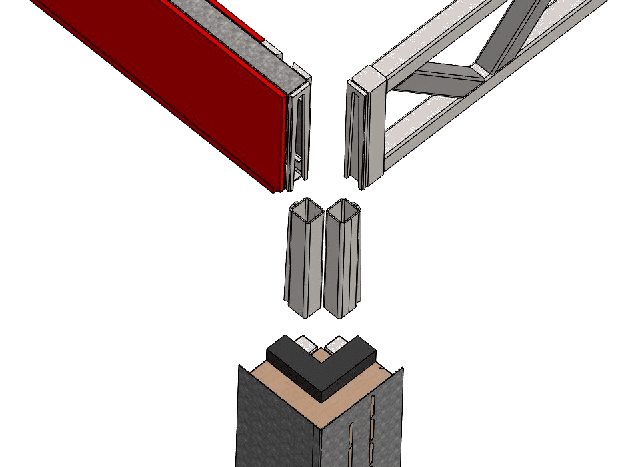
Beam assembly - corner post
on upper levels
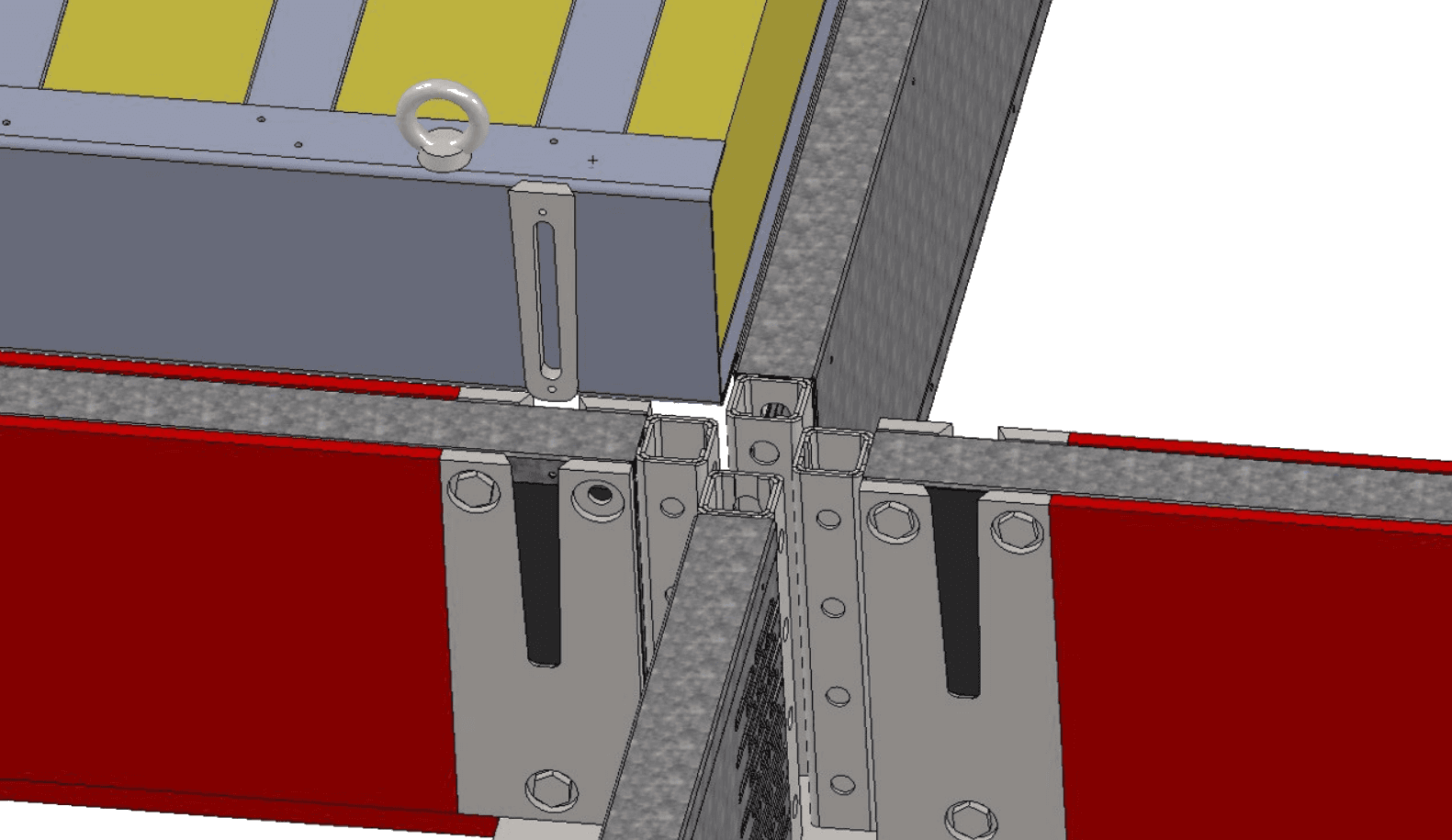
Installation scheme
of the floor slab
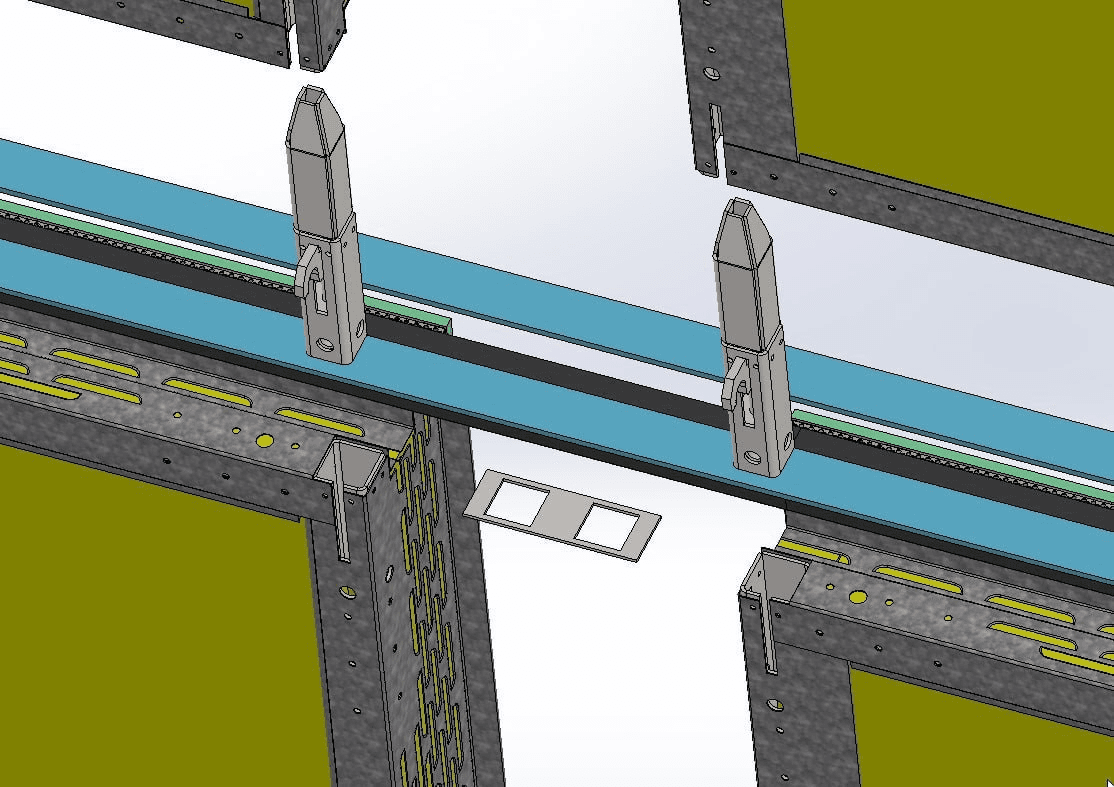
VU connector
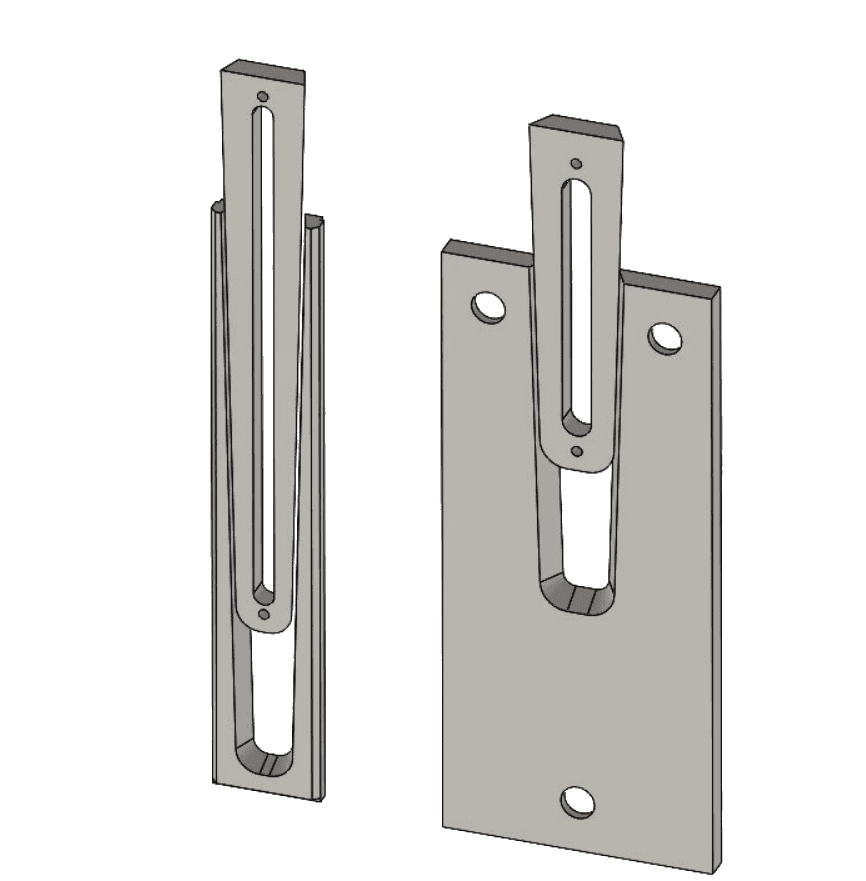
Advantages of VU-CONNECT:
• Concealed installation — no visible joints on the facade or interior.
• No welding or wet processes — ideal for industrial assembly.
• Increased accuracy — geometric fixation eliminates distortions.
• Fast installation — assembly in seconds without tools.
• Detachable unit — suitable for temporary structures and reuse.
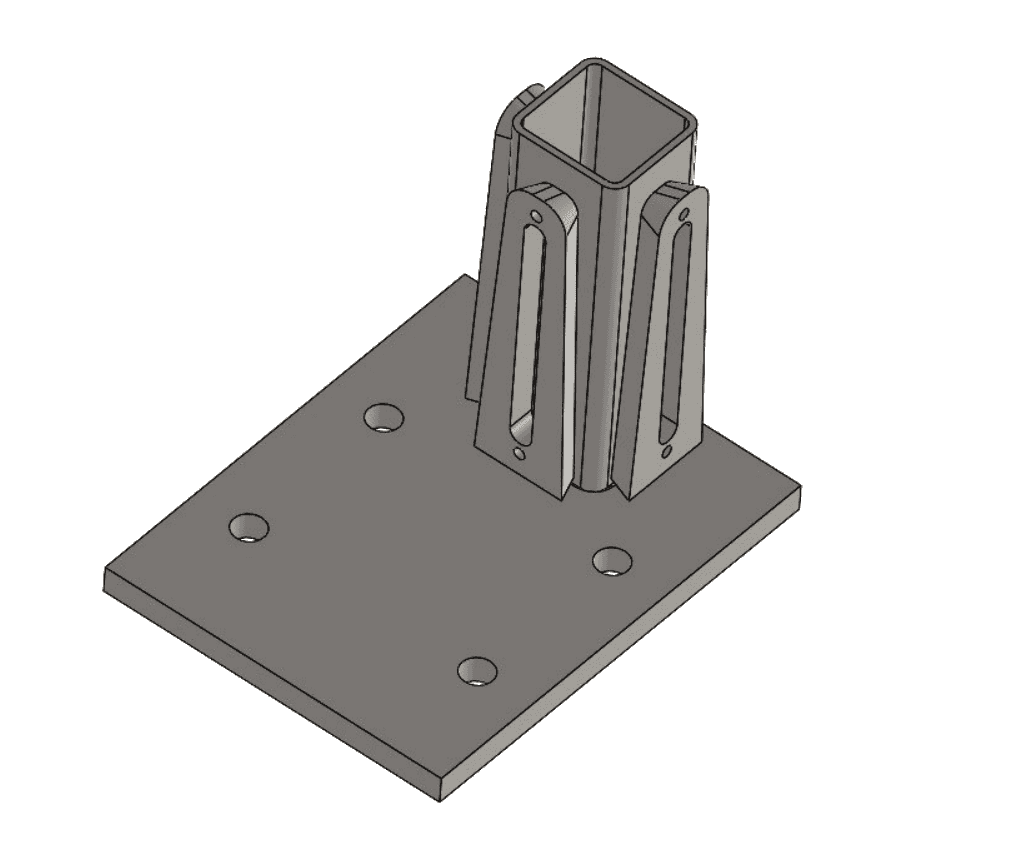
Support bracket (heel)
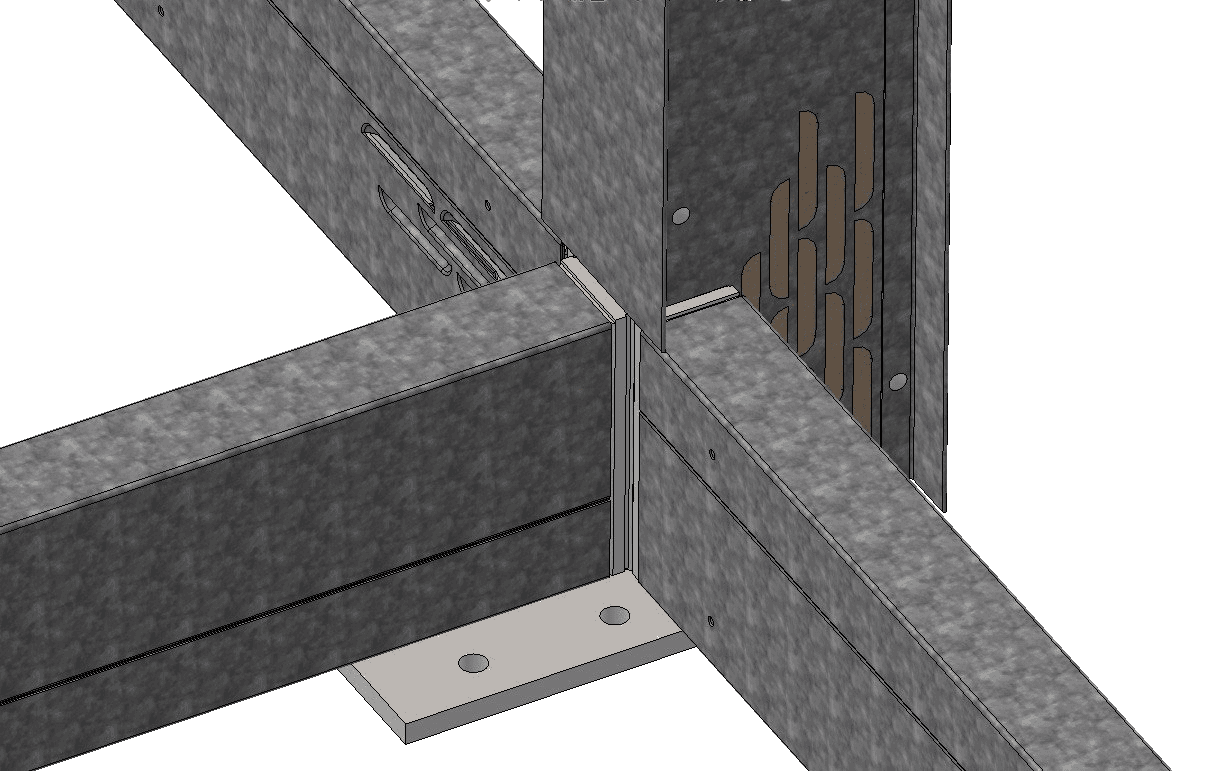
Assembly of the balancer - stand
on the support bracket
VU-CONNECT
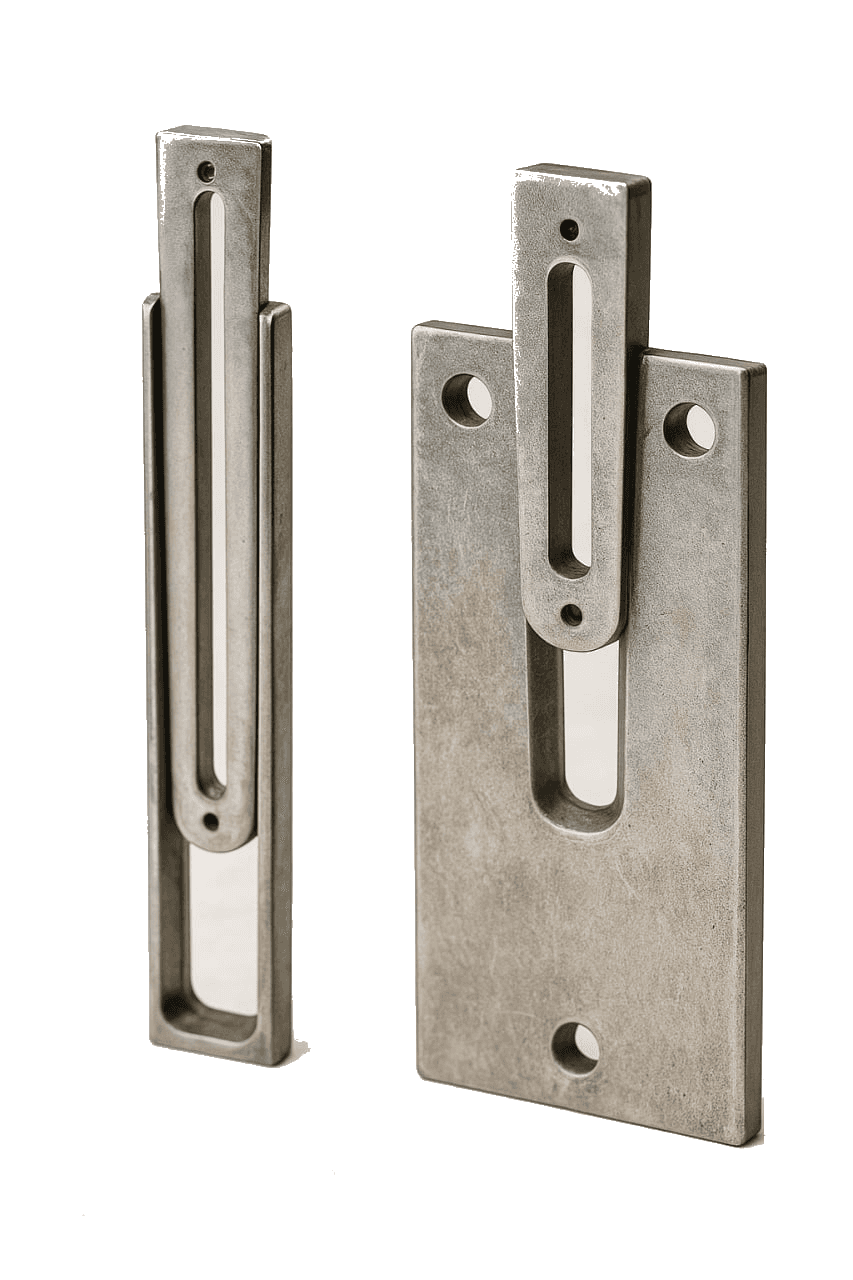
Hidden connection “double wedge — dovetail”.
The key mounting element of the KARKASYS system. It provides a fast and reliable connection of thermal profiles ThermoBEAM in the frame without the use of welding, bolts, or wet processes.
Principle of operation
• Consists of two connecting parts:
• The lower element (receiving part) — is fixed inside the post or beam of the lower level.
• The upper element (insert wedge) — enters the groove from bottom to top under its own weight or with light effort.
• The geometry of the double wedge with dovetail profile ensures:
• Automatic centering during assembly,
• Protection against shifts and play,
• Increased strength of the connection.
Technical specifications
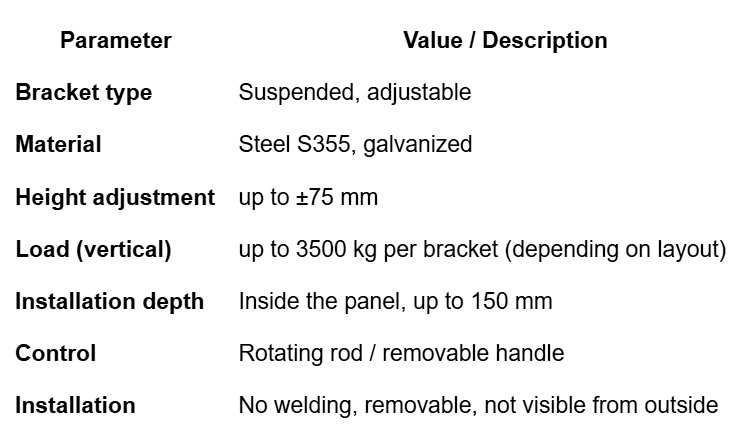
Technical specifications

Documentation and images:
• Technical drawing HOOK-BRACKET (DXF / PDF)
• Installation instructions with step-by-step diagram
• Illustrations of application in facade joints
• Photographs and renderings from the factory / construction site
Compatibility and Integration
• Building framework: reinforced concrete, hybrid
• Allows combination with ThermoFRAME frames
• Installed without changing the geometry of the facade — completely inside the panels
• Can be combined with lower guides or other horizontal fasteners, if required
Compatibility and Integration
Applicable to:
• PanelKIT, PanelCORE, ThermoFRAME
• Frames designed for installation in the inter-floor space
Compatible with:
• Concrete, wooden, and metal floors
• Insulated frames and engineering input systems
• Installed without protruding elements — completely within the dimensions of the panel
Design features
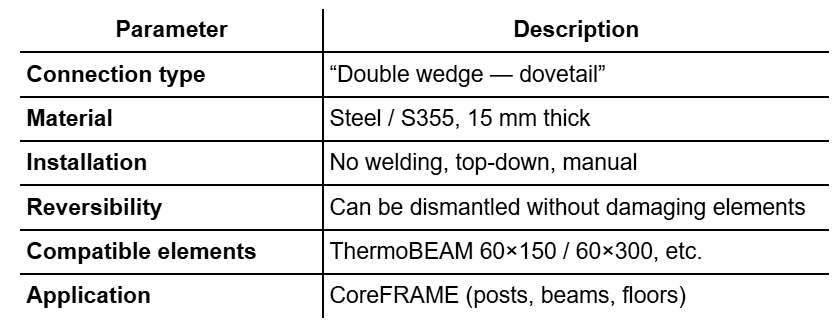
Documentation and images:
• Assembly drawing TELEBRACKET (PDF / CAD)
• Node assembly diagrams in reinforced concrete frame
• Photos of samples and CAD renders
• Installation instructions